quinta-feira, 30 de setembro de 2021

How to Capitalize on Misspellings and Typos in Social Listening

How to Capitalize on Misspellings and Typos in Social Listening

I’ll let you in on a secret.

People are talking about you online. Whether it’s a direct @ mention on social media or involvement in an untagged rant—the likelihood is, there’s a lot of conversations occurring on “dark social” that you don’t know about.

For the most part, brand mentions are a marketing score (even when the words themselves are negative). It means your brand’s reach is growing, you’re developing a presence, and people are using your products or services.

Typically, social listening helps you stay on top of all the gossip, gauge brand sentiment, and have engaging conversations with your audience. However, you are bound to find that some people will misspell your brand name or other important keywords and hashtags you’re looking out for.

How do you catch all the praise, complaints, and potential new business if someone’s clumsy thumb gets in the way?

By monitoring misspellings and typos.

It’s a super-sleuth approach to stay on top of all your mentions, develop a robust social listening strategy, and inform business decisions. Not only will you find new leads that are valuable to your marketing efforts, but there is a ton of other benefits to improving your awareness online.

What Is Social Listening?

Social listening involves tracking brand and competitor mentions alongside industry conversations on social media. It helps you listen in on what people are saying online and gives your brand opportunities to act on positive or negative sentiments.

“But isn’t that run-of-the-mill social media monitoring?” you ask.

Nope.

While the two concepts are similar, there are some key differences.

Social monitoring is about collecting data like brand mentions, relevant hashtags, and industry trends. You would typically use this information for monitoring your ROI on social media campaigns or A/B testing. There is no direct engagement with your audience.

Social listening is when you take action with the data and add a human element to your business front by responding to conversations.
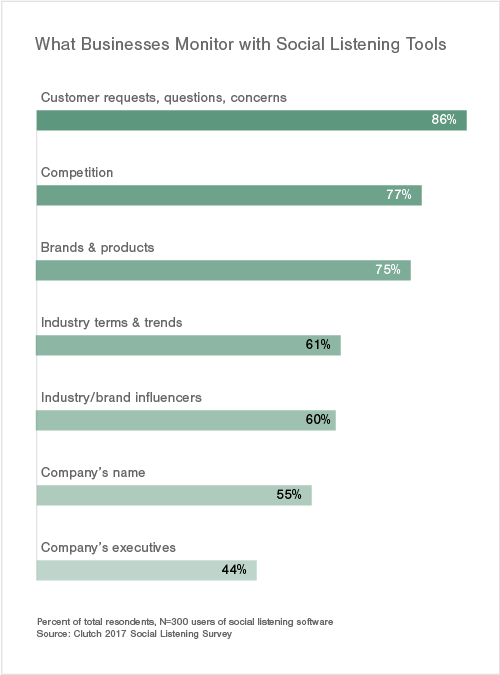
social listening graphic

Why Should Brands Care About Misspellings and Typos in Social Listening?

OK, so why are misspellings important to your business?

Consider your own thumbs.

Sometimes when you’re in a rush, you might accidentally bash the wrong letter on your keyboard, or your smartphone might autocorrect your spelling without you realizing it, causing unintentional high jinks and drama.

It’s something so common that there are dozens of articles tracking the biggest autocorrect fails of all time.

Who’s to say the same thing isn’t happening to your brand or competitors?

If your company name (or other related terms) are misspelled, it is harder for your team to monitor social media mentions. You could miss out on potentially making a sale or stopping customer dissatisfaction by not covering all your bases.

Here are a few benefits of monitoring misspellings and typos of your brand’s name:

  • Find more conversations about your company and manage crises: If a person says something negative about your brand on Twitter and uses the wrong spelling of your brand name, then your research provides you with a perfect opportunity to engage with them and try to fix the problem.
  • Track competitors: If your competitor’s brand name is misspelled or has a typo in their brand name, you can find these conversations and start tracking them.
  • Discover industry pain points: Monitoring misspellings around topics in your industry is a gold mine. You’ll get a ton of insight into what is and isn’t working and use the information to create a new product or improve your marketing strategy.
  • Find new leads: If someone is venting about a competitor or complaining about a problem you solve but has a common typo or abbreviation in their Tweet that you’re monitoring, you can swoop in, start a conversation and potentially make a sale.

All of this data and its benefits wouldn’t even be on your radar if you only stuck to monitoring the correct spelling—imagine missing out on hundreds of potential leads every year.

Tips to Capitalize on Misspellings and Typos in Social Listening

Ready to turn those typos into profit? Follow these tips to stay on top of misspellings and reply to users as soon as the mention happens.

1. Use Ubersuggest to Gauge Typo Volumes

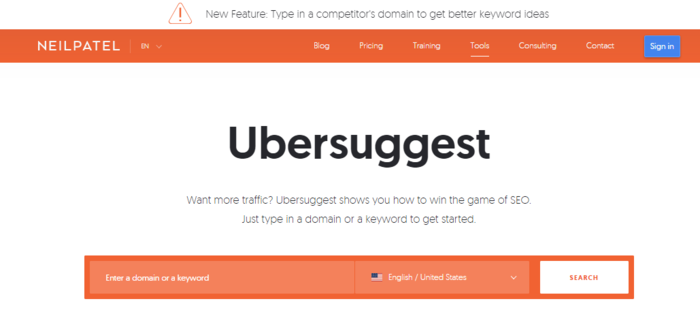
Ubersuggest is my personal keyword research tool which can double as a social listening research tool.

You can use it to see how many people are misspelling your brand name or a phrase every month. This can give you an idea of which words you want to monitor.

For example, a common misspelling of my name is “Neil Petal.” According to Ubersuggest, that search term gets 14k hits a month. That tells me it’s a lucrative typo to monitor with a social listening tool. That’s 14,000 new leads, conversations waiting to be had, or traffic that I could redirect to my website.
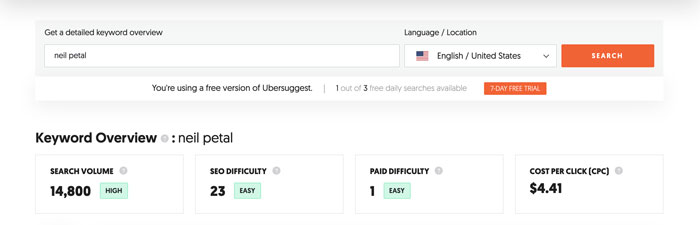
Tips to Capitalize on Misspellings and Typos in Social Listening - Use Ubersuggest

Another good example is Canon. A typo for the brand “cannon camera” gets 165k searches per month. If we head on over to Twitter, we can see that the misspelling is popular there, with hundreds of Tweets mentioning “cannon” instead of “Canon.”
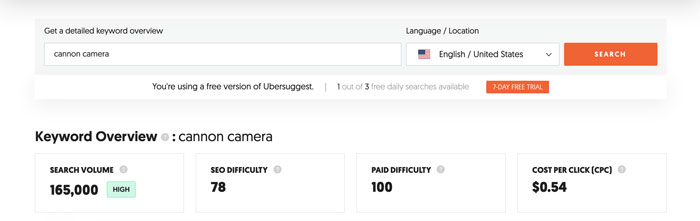
 Tips to Capitalize on Misspellings and Typos in Social Listening - Use Ubersuggest to Gauge Typo Volumes


As you can see below, a lot of the conversations referring to “cannon cameras” are potential business opportunities for Canon.

Canon could solve one Twitter user’s problems by writing a blog comparing their m50-mr2 to the Sony a6400 for vlogging, or they could increase their chances of a sale by directing @Neccy_Pooh to their favorite lens comparison lists, published by popular reviewers like DigitalCameraWorld, Shotkit, and PCMag.
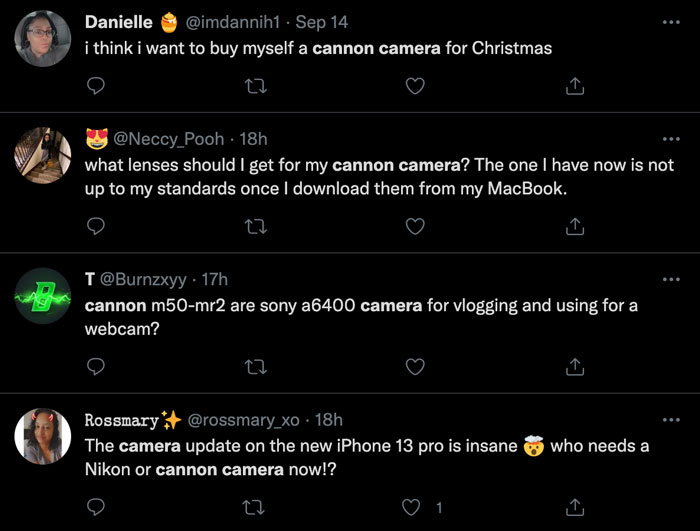
Tips to Capitalize on Misspellings and Typos in Social Listening - Canon Camera example

2. Set Up Google Alerts for Keywords With Typos

Once you’ve set up a social listening tool, it’s time to create Google Alerts.

Over the years, I’ve used it to build backlinks and carry out PPC research, but it doubles as a way to monitor brand mentions as well.

What are Google Alerts? It’s essentially a notification tool that will send you an email every time a specific word or phrase you’re watching is used.

The tool lets you monitor sources like:

  • blogs
  • news
  • web
  • video
  • discussions

Only operating in a specific location or use a word that means something else in another language? You can further filter results for a particular country to make sure you’re only getting pings for the most relevant results.

Some of the typos you’ll want to monitor include:

  • your brand name
  • domain names
  • product names
  • industry terms
  • your email address

How to Set Up Google Alerts for Social Listening

Step 1: Sign in to your Google Account and go to google.com/alerts. You’ll see a screen that looks like this.
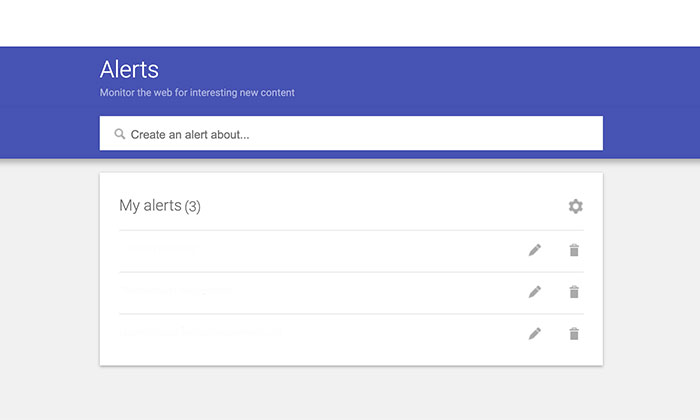
How to Set Up Google Alerts for Social Listening

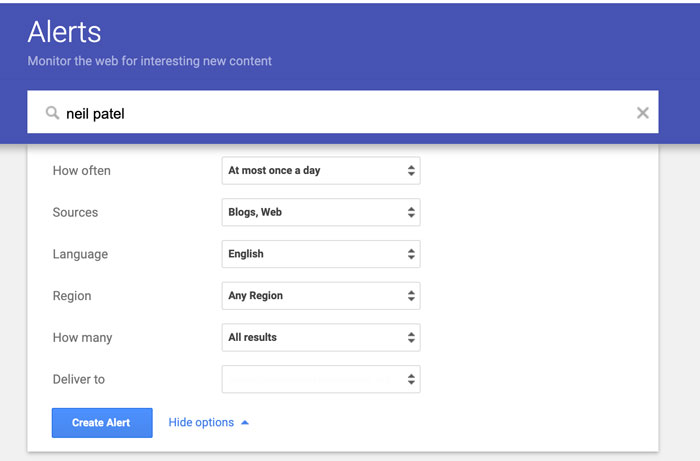
Step 2: Enter the misspelled word you phrase you want to monitor in the search bar.

social listening - google alerts set up

Step 3: Click on show options to fine-tune your results. These are the settings that I recommend you use:

  • How often: At most once a day.
  • Sources: Blogs, Web (and any others that are relevant to you).
  • Language: Choose the language you are targeting.
  • Region: Any region (unless your audience is region-specific).
  • How many: All results.
  • Deliver to: Enter your email address.
Tips to Capitalize on Misspellings and Typos in Social Listening - Set Up Google Alerts

When creating your Google Alerts, use quotation marks around phrases for example, “digital marketing.” It will return results with an exact match for your brand name or industry keywords.

This is one way to make sure you don’t miss out on any opportunities and are able to respond without missing a beat.

3. Monitor Common Misspellings of Your Competitors

Keeping an eye on your competition is an important part of any social media strategy. By keeping tabs on what they are up to, you can quickly adjust your marketing efforts and respond to any trends. Monitoring the misspellings of their brand mentions and keywords helps you understand their audience and start conversations which could lead to onboarding a new customer.

The business opportunities don’t end there.

Listening to your competitor’s mentions helps you discover key customer insights.

  • Are people requesting a feature?
  • Do they hate a particular design feature?
  • Is there something your competitor is doing that you don’t?

You can use these mentions as clues to adapt your business and give your competition a run for their money.

4. Track Common AutoCorrect Misspellings and Website Mentions

As mentioned earlier, autocorrect is a blessing but also a curse at the same time. If you have a brand name like “Readr,” it will most likely change it to “Reader.”

Research your common misspellings and add them to your list of words and phrases to monitor.

Lastly, don’t forget about brand domain mentions. Include misspellings for your domain and include results for with and without the “www” for example, reader.com, and www.reader.com.

5. Keep an Eye on Branded Hashtag Typos

One of the best misspellings to monitor on social media is hashtag typos. Customers who are over-excited to write something online (or just plain angry) might let their clumsy thumbs get in the way. Combined with general bad spelling, you may miss an opportunity to turn a customers’ mindset around and solve their problems before it is too late and they have already requested a refund or left a bad review.

If you don’t already have one, create a running list of hashtags to monitor. You can then start your search by hopping onto Instagram and typing in different ways to misspell your brand name and branded hashtags.

For example, the camera brand Nikon has 197,423 Instagram posts using the misspelled hashtag #Nikkon. Their branded hashtag #NikonNoFilter has 300 posts using the typo #NikkonNoFilter as well.

Tips to Capitalize on Misspellings and Typos in Social Listening - Keep an Eye on Branded Hashtag Typos

How to Monitor Misspellings and Typos in Social Listening

The best way to monitor branded spelling mistakes on social media is with a social listening tool. These tools help you instantly find and monitor conversations about your brand online.

Instead of manually entering a keyword across multiple platforms, listening tools streamline the entire process, saving you time and keeping track of opportunities to engage with your audience.

One of the best-rated tools is Brand24, due to its wide range of features.

Simply enter in the keywords and hashtags you want to monitor, and you’ll get daily reports on brand sentiment, popular hashtags your audience is using, words that are used most frequently with your keywords, and you can track anywhere from 5,000 to 250,000 mentions per month.

Once you have your daily report, your social media marketing team can go in and start meaningful conversations with raving fans, disgruntled customers, and potential leads.

It’s the easiest way to manage your online reputation and grow your business at the same time.

If Brand24 isn’t in your price range or doesn’t have all the bells and whistles you’re looking for, some other social listening tools worth checking out are:

  • Mention: Enables you to listen to your mentions across the web and social media. Monitor over one billion sources like review sites, and forums as well as conversations on Facebook, Twitter, and Instagram. You can publish your responses without having to leave the application, streamlining the entire process.
  • Hootsuite Stream: This feature from Hootsuite is a built-in feed that monitors activity across all your social media accounts. You can use it to track keywords, competitors, and hashtags.
  • Keyhole: Helps you shave off hours from your workweek by helping you automatically monitor conversations about your brand and competitor. It has a suite of other features including influencer tracking, social publishing, and campaign tracking.


Social Listening Frequently Asked Questions

What Are Some Social Listening Strategies?

Some of the top social listening strategies include monitoring misspellings and typos of brand names and hashtags, identifying influencers promoting your business, monitoring competitor content, and keeping tabs on industry trends.

How Is Social Listening Measured?

You can measure social listening by tracking the number of mentions of your brand. Looking at the sentiment or tone of the conversation helps you measure if people feel positive or negative towards your brand.

What Is Social Listening Used For?

Social listening is used for online reputation management and identifying ways to start meaningful conversations with customers or potential customers. It’s also used for keeping tabs on your competition and how their audience feels about them.

How Does Social Listening Work?

Social listening helps you monitor conversations happening on any particular platform so that you know what people are talking about when they mention your brand. Keep an eye on what’s happening in your industry and capitalize on any opportunity for new business.

Misspellings and Typos in Social Listening Conclusion

In conclusion, misspellings and typos can be a gold mine for your social media marketing team.

To capitalize on these mistakes, make sure you’re tracking them with a social listening tool to see what people are saying about your brand online. Use this feedback as an opportunity to start conversations, increase engagement, and improve online sentiment about your brand.

How has social listening helped you grow your business online?


How to Capitalize on Misspellings and Typos in Social Listening
Publicado Primeiro em Neil Patel

10 Best Practices for Squarespace SEO

10 Best Practices for Squarespace SEO

If you’re looking to build an SEO-friendly website, Squarespace is a solid choice. It offers easy-to-use templates and plenty of SEO tools to help your site rank better in Google search results.

Not sure where to get started? I’ll guide you through everything you need to know about Squarespace SEO, including what best practices to follow and the tools Squarespace offers. 

Why Should You Care About SEO for Squarespace?

Even the most elegant website won’t do you much good if no one sees it. SEO is the act of optimizing a website so your target audience can easily find it. 

SEO for Squarespace is about ensuring your Squarespace website plays well with search engines. 

If you’ve used other website builders such as WordPress, you might be familiar with SEO plugins like Yoast. Unfortunately, those won’t work with Squarespace. 

Other site builders, like Wix, offer minimal SEO tools that make it challenging to improve your ranking. 

The good news is Squarespace comes with a ton of advanced SEO tools built-in. Understanding how to use them to optimize your site is crucial to your online success. 

10 Tips for SEO for Squarespace

It’s easy to get overwhelmed by all the SEO advice out there. There’s on-page SEO, off-page SEO, and even SEO best practices for developers. 

With Squarespace, you don’t have to worry about the most technical aspects of SEO. For example, all their sites are mobile responsive out of the box. 

However, several steps will help your site rank well in Google, Bing, and other search engines. Here are ten best practices to improve your Squarespace SEO. 

1. Perform Keyword Research 

The core of SEO is keyword research. No matter what builder you use, it’s essential to take the time to find out what keywords your site should target. I’ve written several in-depth guides about keyword research, but I’ll explain the basics here.

Keywords are the words or phrases users type into search engines to find your website. 

Sometimes they are pretty obvious; for example, a dentist in Chicago will probably target keywords like “chicago dentist.” 

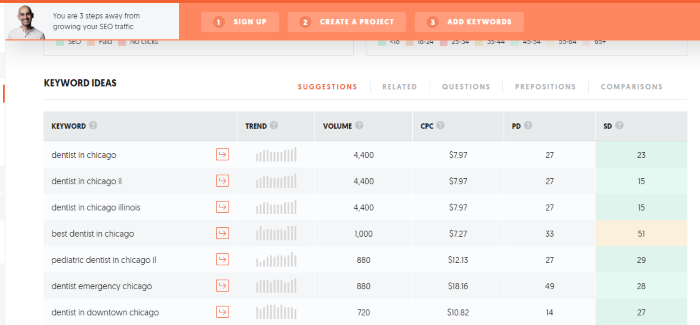
Other terms might be less obvious, such as “dentist near me” or “root canal.” That’s where a good keyword research tool, like my tool Ubersuggest (it’s free!), can be helpful. 

Type in your main keyword and see what other terms come up: 

Tips for SEO for Squarespace - Perform Keyword Research With Ubersuggest

These are terms you’ll want to use on your website in your domain name, URLs, and SEO page titles. (Don’t worry, we’ll cover how to do all that later.) 

Consider researching what terms your competitors use as well. This can provide insight into what terms users are searching for.

2. Optimize Your Domain Name

While domain names aren’t a direct SEO factor, they can impact your overall SEO performance. 

For example, if someone wants a dentist in Chicago, do you think they’ll click on a site like www.chicagodentist.com or www.marymandyddc.com? 

Using keywords in your domain name is a simple way to clarify what your site is about and start building your brand. 

If you already have an established website that is ranking well, there’s no need to change it (though you could redirect your site to a more SEO-friendly domain if you wanted).

If you are just getting started, make sure to include keywords in your domain name and make it easy to remember. 

3. Use Keywords in Your URLs

Remember those keywords we looked at in step one? Make sure to include them in your URLs. 

You’ll also want to make sure your URLs are clean and easy to understand, especially for service or product pages. 

For example (sticking with the dentist example from above), the pediatric dentist service page should be https://ift.tt/2ZLWd1W, not https://ift.tt/3miCbDY. 

Clean URLs perform better in search, and they look more trustworthy to users.

Here’s how to change your URL in Squarespace: 

  • From the Home menu, click Pages. 
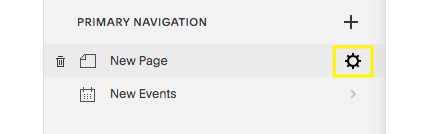
  • Click the gear icon to open page settings.
icon page squarespace SEO
  • Type your new URL in the URL slug field. 
  • Select Save. 

4. Integrate With Google Search Console 

Google Search Console is a free tool that helps you monitor and maintain your Google presence. Integrating it with Squarespace allows the two sites to share data and makes it easier to see where your SEO efforts are paying off and where they’re falling flat. 

The console makes it easy to verify your site and lets you see all that awesome Google data right in your Squarespace Analytics dashboard—no need to visit two sites. 

To integrate, follow this guide on the Squarespace support page. 

5. Add SEO Page Titles and Descriptions 

SEO page titles and descriptions (also called meta titles and descriptions) are short blurbs displayed in the search results that tell users what they’ll find on your page. 

Get these right, and your traffic can skyrocket. Ignore them, and Google will create them for you—and they might not be as effective. 

Here’s how to update your SEO page titles and descriptions on Squarespace:

  • In the Home menu, select Pages. 
  • Click the gear icon next to the title. 
  • Select the SEO tab, then add your title to the SEO title field. 
  • Select Save. 

You can (and should) add SEO titles to all your pages, including blog posts and product pages. This guide to meta titles and descriptions will walk you through how to create SEO-friendly titles. 

In general, meta titles and descriptions should: 

  • include the main keyword you want to target 
  • offer clear details about what the user will find if they click

6. Integrate With Google My Business 

If you have a brick-and-mortar business, this is a step you can’t ignore. Google My Business is a free tool that lets you manage how your business appears in Google Maps and the search results. 

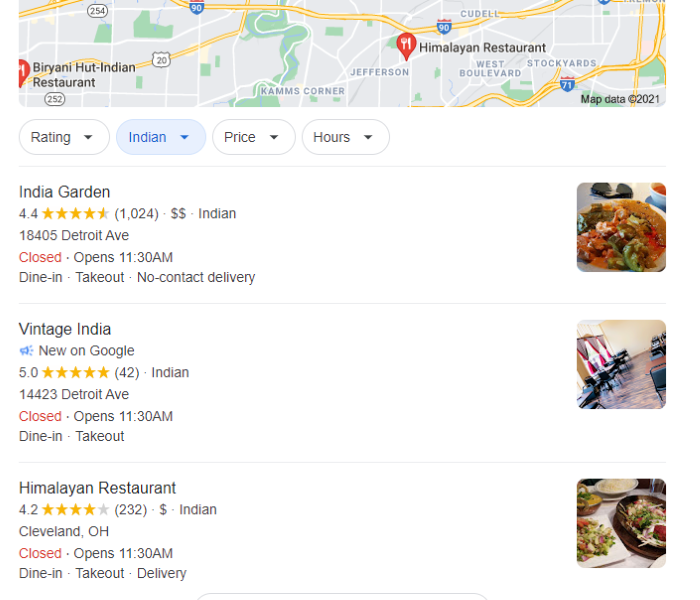
For example, you might have seen the “Google three-pack” when you search for a local business:

Tips for SEO for Squarespace - Integrate with Google My Business

Google pulls the information about reviews, pricing, and hours from the Google My Business account. 

GMB is valuable, but for many smaller businesses managing another platform is a hassle. Squarespace makes it easy by interacting directly with Google My Business to manage your listing. 

Here’s how to integrate your Squarespace site with GMB: 

  • From the Home menu, select Marketing, then Location Management. 
  • Select Add Location. 
  • Click Import from Google. 

If you don’t already have a GMB account, you can set it up in Squarespace by following the prompts. Once you’ve integrated, you can push and pull data from your website to Google automatically. 

7. Create a Custom 404 Page 

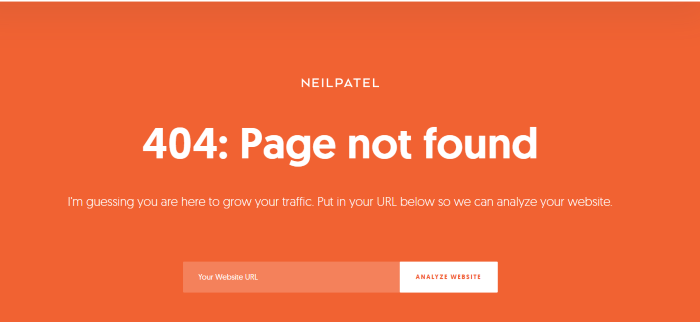
A 404 page is the page users see when they click on a link that doesn’t exist or has been moved but not redirected. Here’s mine: 

Tips for SEO for Squarespace - Create a Custom. 404 page

When used correctly, 404 pages can boost your SEO and improve user experience. 

I use it to direct users to my SEO tool, but you can also direct users to blog posts, product pages, or other important site pages. This keeps users on your site and helps them find the information they need. 

A custom 404 page increases time on page, which can improve SEO. 

Here’s how to create a custom 404 page in Squarespace. 

8. Check Your SSL Settings

SSL certificates (secure sockets layer) encrypt the data that passes between your website and your server. It improves website security, making it crucial for all websites but especially e-commerce sites. 

In addition to just being a good idea, it’s also a Google ranking factor, which means enabling SSL on Squarespace is beneficial for SEO. 

Luckily, Squarespace makes this process pretty easy. In fact, all their sites are automatically protected with an SSL certificate. However, you can adjust several settings based on your needs. 

Here’s how to check your SSL certificate settings in Squarespace:

  • From the Home menu, select Settings, then Advanced.
  • Choose SSL.
  • Select Security Preferences.
  • Check the box for Secure and HSTS Secure. 
  • Click Save. 

9. Create High-Quality Content 

High-quality content is a cornerstone of good SEO. It provides fresh content (which Google likes) and offers useful information your users want and need. 

Squarespace makes it easy to add a blog to your website, though many themes come with them already in place. 

Once you’ve created your blog page, it’s time to get writing. You can write yourself or outsource it to a freelancer. I recommend writing yourself at first to get an idea of what type of content your target audience wants. 

Start by coming up with topic ideas. What questions do you answer most often? What pain points do your customers share? Aim to solve those problems. 

Here are a few other tips for creating useful, high-quality content: 

  • Offer useful information: Answer a question, provide a step-by-step guide, or give advice. Keyword research can help with this. 
  • Break up content: Use headings, lists, and pictures to break up longer content and make your piece easy to read. 
  • Be specific: Don’t write for everyone; instead, write for your specific target audience (or even a subset of your audience). For example, this post isn’t just about SEO in general; it’s specifically for Squarespace users. A dentist could write about “how to brush your teeth,” but “how to teach your kids to brush their teeth properly” is likely to be more useful. 
  • Optimize your content: Once you’ve created your useful, high-quality content, review Squarespace’s content best practices to ensure your audience can find your great content. 

10. Add Internal Links to Important Content 

Internal links are links on your website to other pages on your site. They improve user experience by helping users find pages, but they’re also great for SEO. 

Internal links help Google understand which pages on your site are most important. Search engines also use internal links to pages on your site.

However, don’t go overboard with internal links. I aim for 5 to 10 internal links per 2,000 word article, which seems to be a happy medium. If you only have 10 pages on your site, you’d include fewer links. 

You’ll also want to optimize your anchor text (the words that users click to follow a link).

Finally, make sure the internal links you add are useful. This isn’t a place to spam users about your newest product; it’s about leading them to useful pages. 

Here is how to add text links to your Squarespace site. 

Squarespace SEO Frequently Asked Questions

Which template is best for Squarespace SEO?

Most Squarespace templates are pretty SEO-friendly. However, Brine gets top marks for the ability to customize headers, content insets, and adjust mobile styles. You can also add advanced features like parallax scrolling. 

Is Squarespace good for SEO?

Yes. Squarespace offers plenty of SEO tools and features to help you optimize your website. While there are some things you can’t access, it offers a number of SEO tools and features. 

Is optimizing SEO for your Squarespace free?

SEO features are included in their paid plans, so it is free in the sense that you don’t have to pay extra just for SEO. However, some features are only available to Business or Commerce customers. Make sure to consider your SEO needs when comparing plans. 

What are the downsides to Squarespace, and how can you overcome them?

One of the major downsides to Squarespace is the lack of control. Although many templates are easy to adjust, the customization is limited. You can overcome these issues by carefully considering your template options and choosing a format that will grow with your business. 

Squarespace SEO Conclusion

Understanding how to implement successful SEO practices on Squarespace is crucial to online success. While SEO for Squarespace is a little different than other website builders, they still offer a wide range of SEO tools. 

If you haven’t built your site yet, I strongly recommend starting with keyword research. If you get stuck, my team is happy to help. 

Do you use Squarespace? Have you had success with their SEO tools? 


10 Best Practices for Squarespace SEO
Publicado Primeiro em Neil Patel
quarta-feira, 29 de setembro de 2021

10 Best Practices for Joomla SEO

10 Best Practices for Joomla SEO

Getting your business active online has never been more critical.

Yes, even if you’re a brick-and-mortar brand, you need an online presence. Research shows that 87 percent of shoppers start their product search through digital channels—and missing out on prospective leads is a loss for any business.

While looking around for a content management system (CMS) to help improve the traffic to your website, you’ve probably come across Joomla. Although SEO and marketing professionals like me wouldn’t recommend it (especially when there’s a slew of other content management systems that do a better job), Joomla still has a massive user base with about 2 million websites (giving it about 3 percent market share). 

This makes it one of the most popular WordPress alternatives, and that’s why it’s important to look at some Joomla SEO best practices.

What Is Joomla?

Joomla (also stylized as Joomla!) is a self-hosted, open-source, CMS that was founded way back in 2005. It’s a free platform you can use to build websites and applications of any kind. While there are many CMS platforms available, most Joomla users prefer it for its simplicity and ease of use.

Joomla is a flexible content management system you can use to build your online presence and then optimize your Joomla SEO.

Pros and Cons of Joomla

Before we dive into Joomla SEO, let’s quickly look at some of the pros and cons that the platform provides.

Advantages of Using Joomla

Despite its shrinking market share, Joomla still has some notable advantages that make for a good CMS. Here are a few: 

  • Advanced user management: Right out of the box, Joomla offers one of the best systems for user access controls and user management.
  • Flexibility: Joomla’s components and modules give you a bit more flexibility for displaying different content types, even those that are non-standard. This also adds to its versatility as you can build different types of sites within the platform.
  • Multilingual support: Most CMS on the market require the use of third-party plug-ins for multilingual support. Joomla has “going the extra mile” built-in to the core.

Disadvantages of Using Joomla

While Joomla has a lot going for it, its cons can be something of a letdown. Here are some disadvantages you should expect from the platform:

  • Non-user-friendly: If you’re new to Joomla, it may take a bit of a learning curve to master the platform as the user interface (UI) is not user-friendly.
  • Poor SEO capabilities: When it comes to out-of-the-box SEO capabilities, Joomla has been lagging behind for years.
  • More developer-focused: While it’s easy to use for simple or even moderately sized website builds, things can get complicated if you want to build a complex site. In fact, it’s virtually impossible without a bit of developer help.
  • Extension compatibility issues: One of Joomla’s biggest cons is that it updates more frequently than most developers can keep up with. This causes compatibility issues with extensions, which could lead to some aspects of your website not functioning.

Now that you know what Joomla is and what to expect in terms of pros and cons, let’s get to the business of the day—how to make the most of Joomla SEO.

10 Best Practices for Joomla SEO

With such disadvantages stacked against you, improving your Joomla SEO results can be difficult. However, with these 10 best practices you can skip some of the complications and optimize your website platform to reach more users.

1. Always Use the Latest Version and Extensions

One of the most important aspects of Joomla SEO is to always ensure you’re always using the latest version of the platform. Doing so helps keep the built-in SEO tools and features you’re using updated. Similarly, all extensions need to be up-to-date. This keeps your website functioning as intended, resulting in a positive user experience (UX) for your website visitors.

2. Use Security Extensions

Using the latest software helps improve site security, which is one of the ranking signals search engines use to determine where they show your content.

Additionally, website security has never been more critical than it is today. With technology advancing so fast, unscrupulous agents are also capitalizing on weaknesses and finding new ways of compromising data. Security has become another essential ranking factor, making it more important than ever to stop clicking “remind me next time” and actually update systems when new versions are released.

In fact, cybersecurity has become so important to Google’s Algorithm that websites with dodgy security are actually penalized—all in the interest of protecting users. When users click on your link, they’ll be notified that your website might not be safe to visit, resulting in high bounce rates and your rankings tanking. 

To ensure your website security is up to scratch, you should consider using Joomla security extensions. While Joomla comes with good security as a standard, beefing up your data protection goes a long way in ensuring your website is deemed trustworthy by both search engines and users. 

3. Configure Joomla’s SEO Settings

Another essential factor to consider when doing Joomla SEO, especially for a new site is to actively configure Joomla’s global SEO settings.

This may seem like a long and tedious process as there are many little tweaks you’ll have to make, but the end results are certainly worth the effort. Some of the tweaks you need to make include:

Cleaning Up Your Links

Easy-to-read, short, and clean URLs are another ranking factor that search engines use. Default links in Joomla are messy and confusing. Clean them up by enabling search engine-friendly URLs (SEF URLs), removing the URL ID, and URL rewriting. This will allow you to clean up your URLs and remove the index.php at the end of your links.

Enabling Gzip Compression

Gzip compression works like a zip application. It asks your server to compress your website files before sending them to the receiver. As a result, your website will load faster. This is important as search engines favor sites that load fast.

These simple adjustments to your default configurations will help set your website up for some SEO victories. Take the time to do them.

4. Conduct Proper Keyword Research

Keyword research plays an integral role in any SEO strategy. It’s no different for Joomla SEO. Use a keyword research tool like Ubersuggest to find keywords your target audience uses to search for your product or service. 

Best Practices for Joomla SEO - Perform Keyword Research with Ubersuggest

Once you’ve found them, start using them strategically by placing them in your content. The most prominent places to feature your keywords include:

  • headlines
  • subheadings
  • content
  • metadata

Using the results of your keyword research, create SEO-optimized content that will help you rank high on the search engine results pages (SERPs).

5. Prioritize Google’s Page Experience

One of the main ranking factors Google uses to rank websites is page experience. That’s why you should keep it at the top of your mind as you design your Joomla SEO strategy.

What’s page experience?

Well, page experience refers to a set of signals Google uses to measure how visitors to your website enjoy interacting with your website (or not). As Google wants the best for its users, websites that offer a better page experience are ranked higher. A few factors that impact page experience include:

As you design your Joomla website and create content for it, be sure to keep in mind that you’re not just delivering content. You’re also delivering experiences.

6. Have a Robust Linking Strategy

Links play a huge role in helping your website rank. In fact, they’re in the top three ranking factors Google uses.

That’s why you must have a robust linking strategy to boost your Joomla website.

Three types of links to pay attention to as you map the course for your linking strategy include:

  • Backlinks: These are links from other sites to yours and act as a vote of confidence from independent parties.
  • Internal links: Linking internally helps search engines better understand your website. It also helps pass “link juice” from high authority pages to those that need a lift. Be strategic in your internal linking by only linking pages that are related. An easy way to do this in Joomla is by leveraging the “categories” feature.
  • Outbound links: Outbound links are essential as they strengthen topical signals and help search engines get better context about your content. They also help you gain your readers’ trust.

The type of links you build and how you build them plays a huge role in how your website will rank. Make sure to carefully plan how you’re going to utilize links on your site.

7. Implement Structure Data

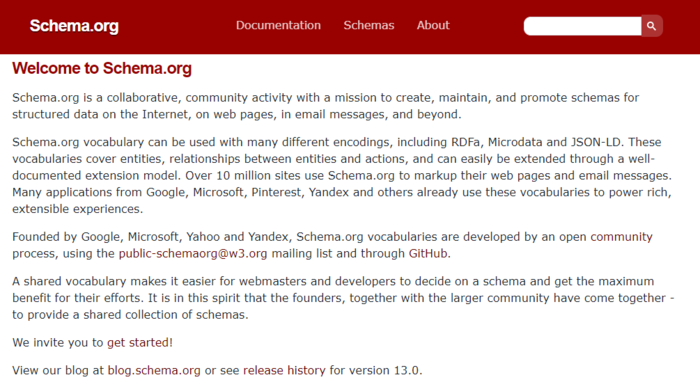
Structured data is a type of code used to help search engines understand your website better. By using schema markup, you can help search engines understand what the raw data on your website means. The better search engines understand your website, the better they can match your content to searches made by users.

Best Practices for Joomla SEO - Implement Structure Data

Besides making it easier for search engines to understand your website better, structured data also enables rich snippets (search results with a bit more information). As well as revealing extra details about your content on Google’s search pages, rich snippets are interactive. This helps increase the CTR on your posts, leading to high engagement rates which act as a sign that your content is valuable.

The result?

You guessed it—better rankings.

While the impact of structured data and rich snippets on SEO may be indirect, don’t overlook the power of structured data and rich snippets in boosting your Joomla SEO.

8. Nail Your Local SEO

If you’re a location-based business that’s built an online presence on Joomla, you should include local SEO in your strategy. A couple of ways to do that include:

  • Using location-based keywords: Use location-based keywords in your content and metadata to show both search engines and users where you’re located.
  • Register on Google My Business (GMB): Directories like GMB and other business directories are another great way to help you show up for local searches, complemented by a map of your location.
  • Optimize for voice search: Most location-specific searches are conducted using voice search. Optimizing for it makes you rank higher for local searches.  

9. Create a Sitemap

Sitemaps are another easy addition to your Joomla SEO strategy that can help boost your rankings. Simply put, a sitemap is a file that provides search engines with critical information about your web pages how they relate to each other. A sitemap acts like your website’s blueprint and helps search engines find, crawl, and index your web pages.

What does this have to do with your Joomla SEO?

For one, sitemaps help search engines understand if your content is relevant to a search query. They also help provide a good user experience—two factors that search engines consider when ranking websites and web pages.

Don’t worry about the technicalities of creating a sitemap. You can simply use a sitemap generator to comb through your website and automatically create one. Once you’ve done so, submit your sitemap to Google Search Console so “search engine spiders” can fetch and crawl it.

10. Always Keep an Eye on Your SEO Performance

Regularly conduct SEO audits to keep track of your SEO performance and learn which aspects of your strategy need improving. Leverage tools like Google Analytics, SEO Analyzer, Ahrefs, and other SEO tools to monitor your website. However, remember that SEO is a long game, and don’t expect overnight changes just because you’ve made some tweaks to your website. 

Joomla SEO Frequently Asked Questions

What is Joomla Good For?

Joomla is a useful CMS for all types of websites including blogs, e-commerce stores, and corporate websites.

Is Jooma Good for Beginners?

For basic websites, Joomla is a great platform for beginners. However, if you want to use it for complex sites, make sure you have some web development skills or a good web developer to help you.

Is Joomla Completely Free?

Being an open-source platform, Joomla is completely free to use.

Is Joomla Better Than WordPress?

While Joomla has some qualities that beat WordPress (like flexibility), considering all features, WordPress is the clear winner. It outperforms Joomla when it comes to essential aspects of building and running a successful website. Some examples include SEO, customization possibilities, and content management capabilities.

Joomla SEO Conclusion

The world of SEO is constantly changing and you must do your best to keep up. That’s why you must always be on your toes and ensure you’re always up to speed when it comes to Joomla SEO. Failure to do so could result in poor rankings which, ultimately, will lead to a loss of business. If you need those leads to keep coming in, make sure you’re following the SEO tips outlined above.

Are you running a Joomla website?

Kindly share your Joomla SEO experience below.


10 Best Practices for Joomla SEO
Publicado Primeiro em Neil Patel
Best Webcasting Services

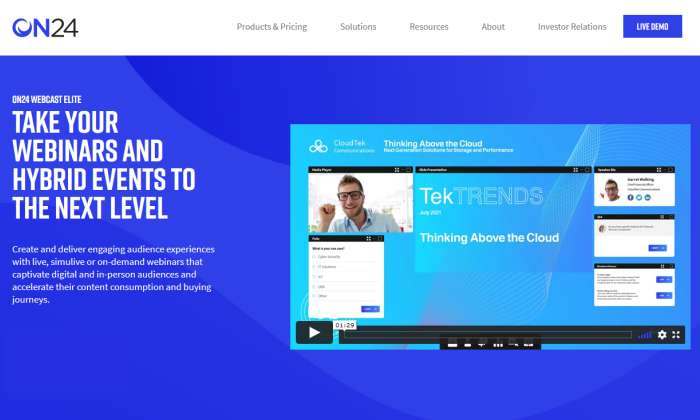
ON24 webcast page for Best Webcasting Services

Disclosure: This content is reader-supported, which means if you click on some of our links that we may earn a commission.

Webcasting has quickly become a popular large-scale communication tool in the digital era.

It’s a way for businesses and individuals to communicate with hundreds or even thousands of people worldwide. Webcasting can be leveraged for a broad scope of use cases, like lead generation, customer support, internal company communications, and so much more. 

The terms “webcasting” and “webinar” are often confused with each other. Unlike a webinar, webcasting is a one-way flow of information. The host presents and the audience watches without really interacting. Webinars are typically more interactive.

This key difference makes it much easier to reach the masses. But having a successful webcast is reliant on finding the right webcasting service. Which one is the best? Let’s dive in.

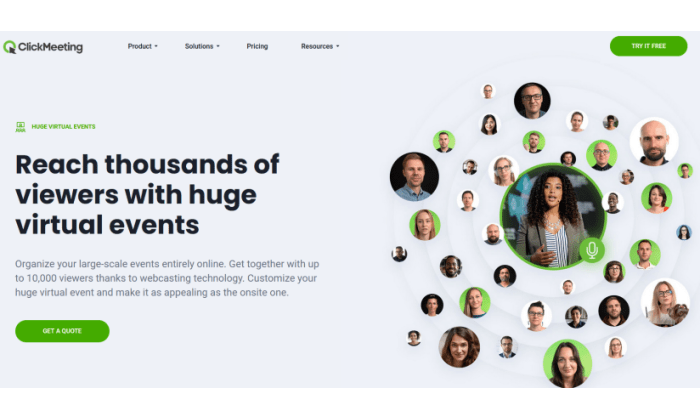
#1 – ClickMeeting Review — The Best For Monetizing Webcasts

ClickMeeting webinar splash page for Best Webcasting Services

ClickMeeting is an online communication platform with several different products and service offerings. They have solutions for marketing, product demos, online learning, training sessions, team collaboration, and more.

ClickMeeting also has webcasting services to accommodate events with up to 10,000 attendees.

ClickMeeting has unique features not offered by other webcasting services on the market—monetization tools. They have everything you need to generate a profit from your large-scale online event. 

PayPal integration makes it easy to sell tickets for webcasts. It’s even possible to connect ClickMeeting to platforms like Eventbrite with a Zapier integration.

If neither of these monetization options accommodates your needs, just use ClickMeeting’s API to manage your unique payment method. 

In addition to the monetization benefits, ClickMeeting offers additional webcasting features like:

  • Promotional registration pages
  • Social media sharing and email invitations 
  • Certificates of attendance for viewers
  • Follow-up messages to attendees
  • Guest speaker invitations with presentation access
  • Panel discussions with up to four simultaneous speakers
  • Whiteboard tools, documents, and video sharing
  • Password protection and tokenization for events

These features are all easy to set up and use. I’m talking about a few clicks and a little planning–you’re not trying to get different software to play nice together. It all just works.

ClickMeeting even lets you break up the webcast into smaller workshops with the ability to sell tickets for each session.

If you want to generate revenue with your webcasts, look no further than ClickMeeting. ClickMeeting offers a free 30-day trial for up to 25 attendees for live, automated, and on-demand webinars.

The Live plan starts at $25 per month, billed annually, for an unlimited number of meetings, six hours of recording storage, and one gigabyte of file storage.

They also offer an Automated plan starting at $40 per month. This lets you auto-publish on YouTube, DropBox, your profile page, and even lets you stream webinars on Facebook. It also automates processes like thank you emails, followups, and invitations to future events.

You’ll need to contact ClickMeeting sales for a custom quote for the Enterprise plan, which includes webcasting services for up to 10,000 attendees.

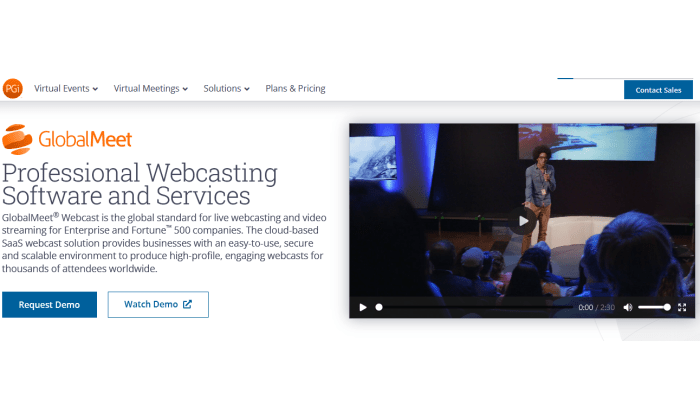
#2 – GlobalMeet Review — Most Versatile Webcasting Service

GlobalMeet webcast splash page for Best Webcasting Services

GlobalMeet is a product offered by Premiere Global Services (PGi), an industry leader in the digital communication and collaboration space. 

Formerly Talkpoint, GlobalMeet Webcast is trusted by Fortune 500s and enterprises across the globe. This cloud-based SaaS (software as a service) makes it easy for organizations to create high-quality webcasts for thousands of viewers worldwide. 

GlobalMeet’s versatility is what makes it unique compared to other webcasting services on the market today. It’s used for town hall broadcasts, employee onboarding and training, investor meetings, marketing presentations, corporate communications, human resources, and so much more. They offer both managed and self-service support for webcasts. 

With GlobalMeet, you’ll benefit from basic and advanced features like:

  • Live and on-demand presentations
  • High-quality audio and video streaming
  • Live Q&A, audience polling, and social media feeds
  • Tools for managing attendee registration data
  • Powerful analytics and reporting
  • Enterprise-grade security
  • Seamless integrations with CRMs and marketing tools
  • In-event branding tools
  • Unlimited cloud storage for on-demand viewing

GlobalMeet provides white-glove event services as well. They offer solutions for event moderation, advanced training, event setup, event customization, and more. 

In Short, GlobalMeet has everything you need to execute a successful webcast at scale, regardless of the use case. 

GlobalMeet does not publish pricing for their Webcast Starter License, but you can easily contact the GlobalMeet sales team for a quote on webcasting services. 

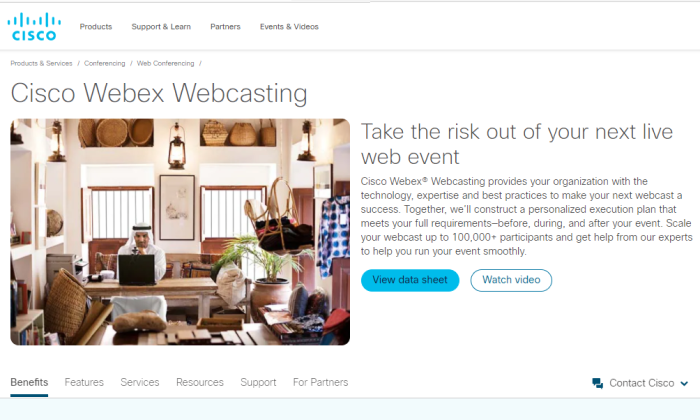
#3 – Cisco Webex Webcasting Review — The Best For Large Scale Events

Cisco Webex webcasting page for Best Webcasting Services

Cisco Webex is another industry leader in the business communications space. They provide an extensive list of high-quality products for varying use cases—webcasting included.

Cisco Webex Webcasting can support up to 100,000 attendees worldwide, making it one of the best options on the market for massive events. 

Running an event at this size is no easy task. But Cisco provides everything you need to ensure the webcast is produced without a hitch. 

They offer all of the features you need before, during, and after the event. Cisco assists with registration and sending reminders to attendees before getting started. They’ll even set up your audio and offer technical assistance during a practice run before the event itself. 

Other top features and benefits of Cisco Webex Webcasting include:

  • One-click recording
  • Real-time tech support
  • Custom event enrollment
  • Attendee questions for lead scoring, tracking, and follow-ups
  • High-quality audio and video
  • Advanced security
  • Slide share, polling, Q&A, and chat
  • Unlimited broadcast time
  • Unlimited on-demand viewing

Cisco Webex’s webcasting support is second to none. Their team of experts will provide you with training and an extensive library of resources to ensure success. When you combine this with the ability to reach 100,000 people, it’s tough to find flaws with it. 

Cisco does not list their pricing for webcasting services. Contact the Cisco sales team to get started. 

#4 – ON24 Webcast Elite Review — Best For Audience Engagement and Conversions

ON24 webcast page for Best Webcasting Services

Just because webcasts aren’t as interactive as a webinar or web conference, it doesn’t mean that you can’t keep your audience engaged. ON24 Webcast Elite solves this problem. 

Unlike other webcasting tools out there, ON24 goes above and beyond to drive engagement and take your webcasts to the next level.

ON24 Webcast Elite is a marketer’s dream. The platform makes it easy to create data-rich webcasts that generate engagement and stimulate ongoing relationships. 

Whether you’re using a live or on-demand webcast, ON24 has real-time engagement and conversion tools designed for lead qualification and buying. You’ll be able to quickly understand the buying intent and interest level of your audience, which improves sales follow-ups and future campaigns. 

ON24 Webcast Elite has unique backend tools that automatically capture audience buying signals. You can seamlessly integrate this data with your CRM or marketing automation platform to optimize the way you nurture prospects. 

Other top features and benefits to consider include:

  • 20+ engagement and conversion tools
  • Lead qualification tools
  • Sales pipeline insights
  • Fully customizable audience dashboards
  • On-demand viewing
  • Surveys and attendee feedback
  • Provide related content and resources on the webcast dashboard
  • Make it easy for audiences to book a meeting, schedule a demo, or contact your team

ON24 Webcast Elite is more than just a webcasting service. This solution is built for driving engagement and generating conversions. 

Try it free for 30 days to see if it is right for you, and contact the ON24 Webcast Elite team for a demo and quote.

#5 – Samba Live Review — The Best For Cross-Platform Live Streaming

Samba Live interface for Best Webcasting Services

Samba Live by Digital Samba is a webcasting service with unlimited scalability. You can invite as many attendees as you want to your next event and potentially reach millions of viewers worldwide. 

That’s why global leaders like Deloitte, Ferrari, and McDonald’s rely on Samba Live for webcasting.

What makes Samba Live stand out from the crowd is the ability to stream live across multiple platforms simultaneously. You can use the software to stream webcasts on Facebook and YouTube to maximize your potential reach.

The software is 100% browser-based and cloud-based, so you won’t have to worry about downloads, hardware, or access restrictions. 

Here are some other reasons why Samba Live ranks high on my list:

  • Simple and intuitive UI for presenters and audiences alike
  • HD audio and video
  • Supports multiple devices OS (Mac, PC, Android, iOS, tablet, smartphone, etc.)
  • File sharing and screen sharing
  • Custom screen layouts
  • Whiteboard markups and annotation
  • Custom registration pages and thank-you pages
  • Email invitations 
  • Q&A, polling, and surveys

Samba Live is versatile enough to accommodate your needs, from virtual workshops and training events to sales meetings and company-wide announcements. 

You can try it free for 14 days with no credit card required, then the Pro plan starts at $49 per month.

What I Looked at to Find the Best Webcasting Services

Before you can start evaluating different webcasting solutions, it’s essential to understand what qualifications should be considered in your decision.

Below is the methodology that I used to come up with the top picks. Use these factors as a buying guide and weigh their importance against your personal webcasting needs. 

Number of Attendees

How many people are you expecting for your webcast? 

Most webcasting services will have limits on attendee lists. Some services might restrict you to 5,000 or 10,000 attendees, while others give you up to 100,000.

Compared to webinars and web conferences, webcasts typically have a higher number of attendees. Keep this in mind as you’re browsing through different options. Make sure you factor in the attendee limits of each plan. 

Audio and Video Quality

Since webcasts are typically broadcasted from a single presenter, the audio and video quality must be a top priority. Tens of thousands of people around the world could be viewing your webcast.

If the feed is lagging, grainy, or low quality, the message won’t be as impactful, and attendees may drop out mid-presentation.

The quality of your webcast will be a direct reflection of you and your brand. This is definitely an area that can’t be overlooked as you’re comparing solutions. 

Event Management Tools

Webcasts often require a significant amount of preparation. From the promotional materials to speaker lists and more, there’s quite a bit of work that must be done before, during, and after the event.

Look for a webcasting service that simplifies event management. Even though webcasts typically aren’t interactive, features like audience polling can be highly beneficial. 

Recording and Editing Capabilities

Make sure the webcasting service you’re evaluating allows for event recording. Not every webcast is presented live. Some are pre-recorded and available on-demand. 

If you’re pre-recording an event, take advantage of any built-in editing tools. Mistakes are inevitable during a live broadcast. But you can cut those out of an on-demand webcast with editing tools to add professionalism to any event.

The best webcasting services give presenters the ability to remove, add, or even reorganize content before archiving it for on-demand viewing. 

Reporting and Analytics

Look for a webcasting service with sophisticated reporting tools. Most platforms offer the basics, like the number of attendees and their location.

But some webcasting services go above and beyond with poll results, audience interactions, and other key audience behavior. These deeper insights can help you define and create future presentations, which is crucial for sales and marketing webcasts.

Conclusion

Webcasting is an excellent way to reach thousands–or potentially millions of viewers across the globe. From a single office, or even your home, you can start to build brand awareness on a massive scale.

As you can see, my recommendations for what’s “best” depend on what you are trying to do. Use my list as a place to start and my buying guide to help you narrow down your options. Here’s a recap of a complete list of all my picks:

  1. ClickMeeting — Best for monetizing webcasts
  2. GlobalMeet — Most versatile webcasting service
  3. Cisco Webex — Best for large scale events
  4. ON24 Webcast Elite — Best for audience engagement and conversions
  5. Samba Live — Best for cross-platform live streaming

There’s a solution for everyone on my list. Whether you want to monetize a webcast, drive audience engagement, or something else, the recommendations in this guide will steer you in the right direction.


Best Webcasting Services
Publicado Primeiro em Neil Patel
Best Call Recording Software

Cube Call Recording main page for Best Call Recording Software

Disclosure: This content is reader-supported, which means if you click on some of our links that we may earn a commission.

Call recording software is a useful tool for businesses and individual users alike. 

For quality assurance, employee training, compliance, record-keeping, dispute resolution, and more, there are dozens of reasons why organizations can benefit from recording calls. 

But which solution is going to fit into your workday? You don’t want to have to re-do everything just to record calls, or pay for a million features you’re never going to use.

Use this guide to learn more about my top picks and methodology for finding the best call recording software for you.

#1 – Nextiva Review — The Best Call Recording for Massive Organizations

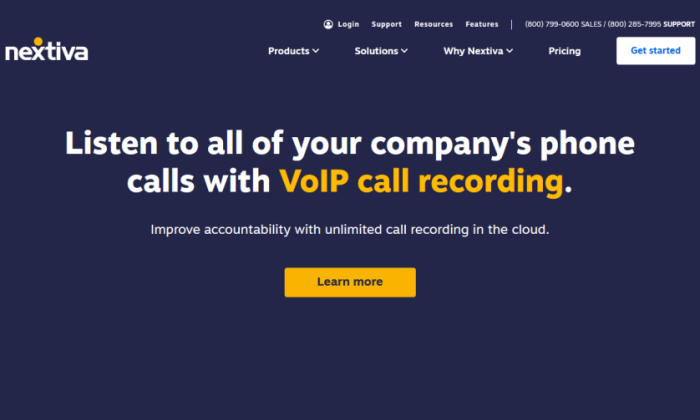
Nextiva call recording page for Best Call Recording Software

In a large company, a lot of different people need to use call recording for a lot of different reasons. And Nextiva is the business calling solution built to handle the strain.

Think of a huge customer service team—dozens of people need to touch the software, from the reps recording their calls to the customer service and HR managers who will use them to run quality assurance, employee evaluations, and training.

Multiply that by the number departments in your office, then again by the number of offices in your organization–you can see how call recording frequency and storage needs add up quickly.

Nextiva solves the problem of call recording at scale. Everything is easy to find when you need it. If a customer calls to complain about a conversation, all of their recordings are tied to their account. No more searching.

With the Enterprise and Ultimate plans of Nextiva One (their voice and video service), you get unlimited recording of both calls and video conferences. Plus, both plans accommodate an unlimited number of users, so everyone can utilize the recording features and access (if you grant it) saved recordings.

Plus, you unlock advanced features of Nextiva’s overall calling service, like advanced voice call analytics, and custom productivity reporting.

When you think about it, it all comes together nicely. Call recording for anything from training to stakeholder meetings can be used in tandem with the analytics, reporting, and Nextiva’s built-in team messaging and collaboration tools to spur improvement everywhere in your organization. And at scale.

What seals the deal for Nextiva is the price point for large teams. The Enterprise plan—which includes everything I’ve described above—is $31.95/user per month for 100 or more users.

That’s a better value and feature set for teams that large than just about anybody else out there.

Want to get started? Reach out to Nextiva and schedule a demo today.  

#2 – Ooma Office Pro Review — The Best Price for the Total Package

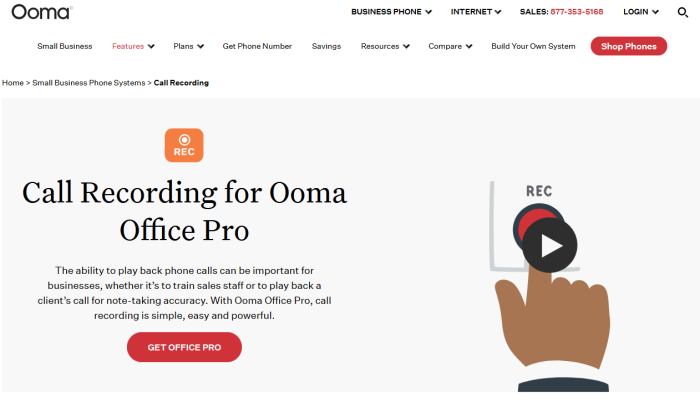
Ooma call recording capability for Best Call Recording Software

A lot of the best call recording options available come as part of wider business phone solutions. When it comes to getting voice and video with all the features you’d need—including call recording—you can’t beat Ooma Office Pro.

I usually save the pricing information for towards the end of these reviews, but here it’s lede: Ooma Office Pro is just $24.95/user per month.

That sort of pricing for the feature set you get usually requires you to have 20 or more users. Ooma offers just one flat price, which makes it great for teams of any size to update their calling capabilities.

Here’s just a sampling of that feature set:

  • Virtual receptionist
  • Virtual extensions
  • Multi-device ring and ring groups
  • SMS messaging included
  • Desktop calling app
  • Voicemail transcription
  • Call logs
  • Call parking

Plus, call recording is adaptable for automatic and on-demand recording. And they’re all stored in your call logs automatically.

Keep in mind, you’ll need to sign up for Ooma Office Pro, as the standard Ooma Office plan does not come with recording features.

If you need a more customizability and analytical capability in the form of a full UCaaS solution, you can step up to Ooma Enterprise for just a few bucks more—$27.99/user per month.

Ooma also offers device flexibility—their mobile app allows you to call from anywhere, but they also sell equipment like traditional desk phones and base stations.

For customer service, sales, or even the legal and medical fields, Ooma Office Pro is a modern business phone solution that will give you the call recording features you need for compliance and improvement.

Get started with Ooma by getting a quote today.

#3 – RingCentral Review — The Best Archiving and Storage for Recordings

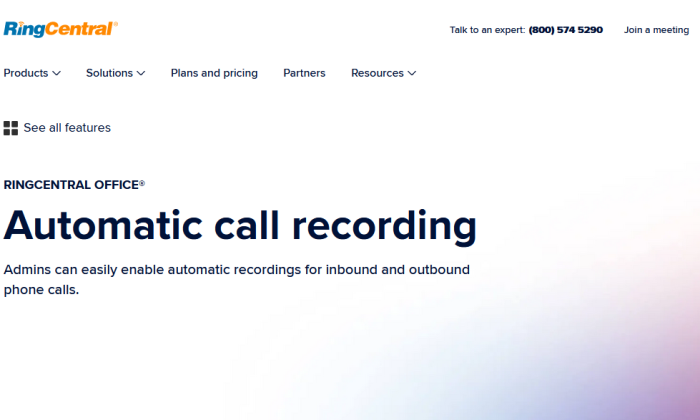
RingCentral call recording page for Best Call Recording Software

Whether you’re using recordings for training, posterity, note-taking, or anything else, what good are they if you can’t access and store them easily?

If you choose RingCentral Office for your team messaging, video conferencing, and phone system, you get generous call recording limits and an excellent dashboard for managing them.

You get the full suite of communication tools, plus features like:

  • Call whisper and barge
  • Hot desking
  • Real-time call analytics
  • Open API
  • Single sign-on
  • Dozens of integrations

RingCentral allows storage of 100,000 call recordings per account, kept for up to 90 days. That’s a nice allowance without even getting into their tool for organizing and storing recordings.

That would be the RingCentral Archiver, a clean, easy-to-use dashboard for viewing and accessing all call recordings in your organization.

In it, you can see recordings, voicemails, and SMS messages all at once, see the numbers they came from, and when they were made or received.

You can easily connect the Archiver to Dropbox, Smarsh, or Google Drive, allowing you to easily sync and backup recordings on your cloud storage. That way you can save any recordings that may be about to hit the 90-day expiration date.  

Automatic call recording and the Archiver only come on RingCentral’s Premium and Ultimate plans. You can utilize on-demand call recording on the Standard plan, but you won’t have many options for accessing, storing, or downloading them.

RingCentral Premium is the best plan for most businesses wanting voice, video, messaging, recording, and easy archiving. Pricing for that package scales based on the number of users:

  • One user: $44.99/user per month
  • 2-99 users: $34.99/user per month
  • 100+ users: $32.99/user per month

For teams of 50 or fewer, you can even try it out for 15 days with RingCentral’s free trial.

#4 – Rev Call Recorder Review — The Best Call Recording App For iPhones

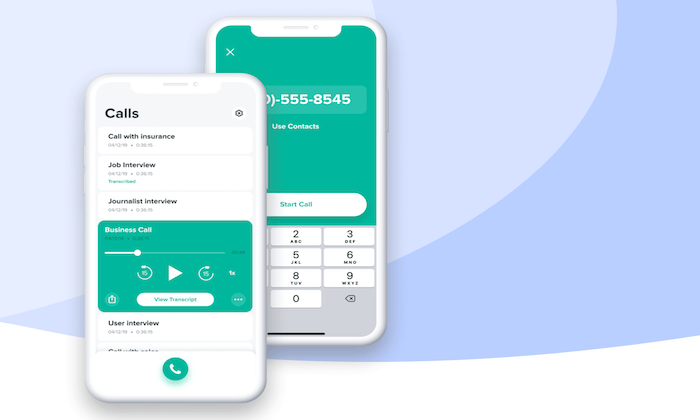
Rev Call Recording main page for Best Call Recording Software

Rev is best known for its online audio transcription and video captioning services. It’s trusted by more than 170,000 customers worldwide, across industries like marketing, legal, media, education, and more.

But they also have an excellent iPhone app for recording calls.

This is a simple and straightforward solution for call recording. It’s a viable option for both personal and business use cases.

Here’s a quick overview of Rev’s key features:

  • Automatically record incoming and outgoing calls
  • Free and unlimited call recording
  • Convert any recording to text with the in-app transcription feature
  • Easy to share recordings and transcriptions via Dropbox, email, and more

Aside from the ability to transcribe and share, Rev is a no-frills solution for call recordings. It’s perfect for anyone who wants a free and simple way to record calls on their iPhone. Learn more.

#5 – Aircall Review — The Best Call Center Solution

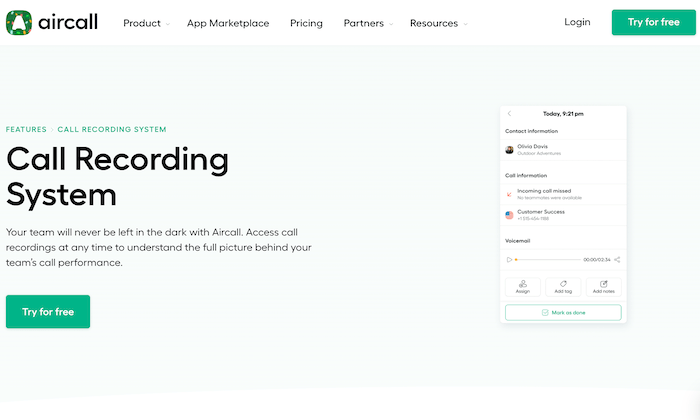
Aircall recording capabilities for Best Call Recording Software

Aircall is more than just call recording software. It’s a complete cloud-based call center solution made for business teams. 

You can set it up in seconds without any hardware, downloads, or headaches associated with traditional phone systems. Best of all, every Aircall plan comes with call recording capability.

If you just need a way to record calls on your existing phone system, Aircall probably won’t be a viable option. This software is designed for businesses that need a completely new phone system. The call recording features are just some of the many perks you’ll get with an Aircall subscription.

Some features of Aircall include:

  • Automatically record inbound and outbound calls
  • Customize recording settings at any time
  • On-demand playbacks
  • CRM integrations
  • Clear recording quality
  • Unlimited calls in the US and Canada

Aircall has additional services for things like call monitoring, call whispering, and call analytics. These advanced features are not available on the entry-level plan.

Pricing starts at $30 per month per user, and you can try it for free for seven days.

#6 – Talkdesk Review — The Best For Voice and Screen Recording

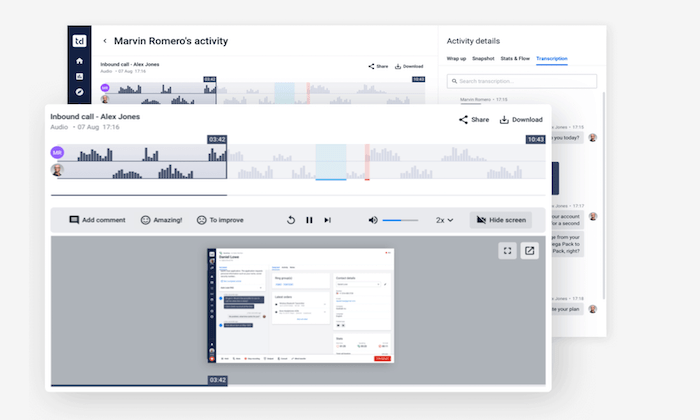
Talkdesk interface for Best Call Recording Software

Talkdesk is a modern cloud contact center solution. One of the main benefits of using this platform for business communication is the built-in call recording capabilities.

With Talkdesk, you’ll gain deeper customer insights with encrypted screen and voice recordings.

By synchronizing the playback of voice and screen recordings, you’ll have more context for evaluating customer interactions with your support team. This also makes it easier to ensure compliance and provide your agents with in-depth feedback on their performance. 

The software has a feature called Talkdesk Speech Analytics. The tool is perfect for analyzing calls based on customer sentiment, keywords, topics, and more.

There’s so many ways this can help your teams. If a ton of customers start asking about a particular feature or run into the same problem, you’re going to know. Instead of that information being siloed with individual agents or teams, Talkdesk is going to pick up on those trends and alert managers much faster.

Some of the other key features and benefits of using Talkdesk for call recordings include:

  • Inbound and outbound call recording
  • Custom storage options
  • Ability to pause and resume live recordings
  • Store recordings for as long as you need
  • Storage available on Talkdesk’s cloud storage or use your own storage system

Talkdesk even has tools for quality assurance. Admins can add time-stamped annotations to recorded calls and fill out scorecards to improve agent performance. All of this can be managed from a simple and intuitive interface. 

Request a demo to get started. Pricing for this contact center solution is based on the number of agents on your team.

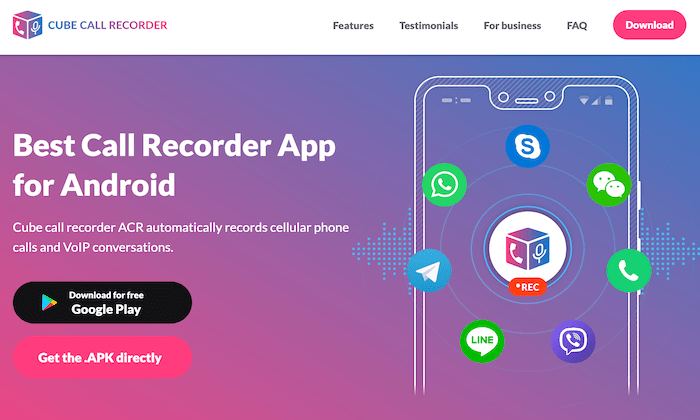
#7 – Cube ACR Review — The Best Call Recorder For Android

Cube Call Recording main page for Best Call Recording Software

Cube ACR is a smartphone app designed specifically for Android devices. It has 10+ million installs worldwide.

In addition to cell phone calls, this simple tool makes it easy to automatically record calls from VoIP platforms like Skype, WhatsApp, Viber, Telegram, WeChat, LINE, Slack, Hangouts, and more.

For such a basic app, Cube ACR has surprisingly good recording quality, and you can clearly hear both sides of the conversation. Just customize your settings to enable VoIP calls, automatic recordings, and control storage backups via Google Drive, Dropbox, etc. 

Cube ACR is always coming out with new updates to ensure recordings are stable and reliable. 

Other noteworthy features and highlights of Cube ACR include:

  • Cloud backups
  • Silent mode
  • Geotagging to see where calls take place on a map view
  • Data security with a PIN lock
  • Automatically remove old recordings to free up storage

If you want to mark an important part of the conversation, simply shake your phone, and Cube ACR will highlight that part of the call so that it’s easy to find later. 

While the app is popular for individual use, the software has business-specific features as well. It integrates with certain business tools, has custom development, and offers special business licensing options. 

The app is free and has a 4.3/5-star rating with 510,000+ reviews on the Google Play Store. 

#8 – Callcap Review — The Best For Call Monitoring

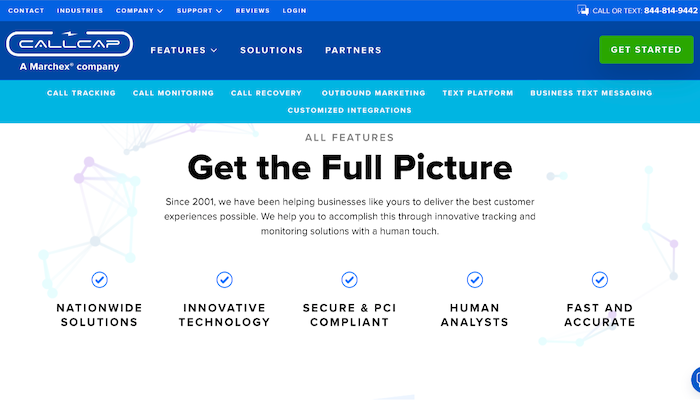
Callcap main page for Best Call Recording Software

Callcap is a bit unique compared to some of the other software on my list. It’s not really a standalone call recording tool. This platform is branded as a call tracking and monitoring solution, but it does have call recording capabilities.

Marketers leverage Callcap to gain deeper insights into consumer behavior. Any business seeking an advanced solution beyond basic call recording should consider Callcap.

Callcap will automatically record all of your business calls. These recordings are available at any time. You can use them for agent training, employee recognition, lost opportunity analysis, disputes, and more.

All recordings are stored in the cloud and accessible from anywhere, and it is easy to share recordings with team members.

But Callcap takes these recordings to the next level with third-party monitoring services. Their trained analysts provide unbiased scoring for all inbound and outbound calls. The data from Callcap allows agents to improve, close more deals, and increase customer satisfaction. 

Other benefits of Callcap include:

  • Catalog item tracking reports
  • Track revenue by campaign or employee
  • Secure and PCI compliant recording and monitoring
  • Manual pausing and automated scrubbing
  • Call tracking
  • Call recovery

Callcap is not for everyone. If you just need a basic solution for recording calls, look elsewhere. But if you want one of the most advanced call recording and monitoring services on the market today, Callcap should be at the top of your list. 

#9 – Kixie PowerCall Review — The Best Chrome Extension For Call Recording

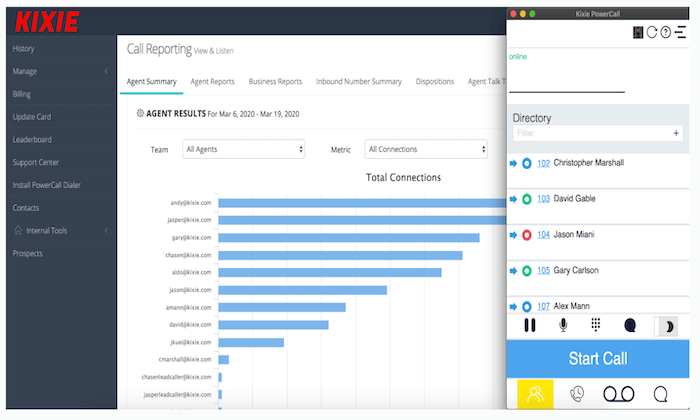
Kixie interface for Best Call Recording Software

Kixie PowerCall is another all-in-one business phone solution. It’s a top choice for remote teams looking for a simple way to manage calls.

This robust Chrome extension can be installed in seconds on Mac, Windows, and Chromebook devices. All Kixie PowerCall plans come with call recording capabilities.

As a Chrome browser extension, it’s easy for agents to make and receive calls from anywhere. Recordings can be managed with a single click, and the software is ready to use out of the box. 

Since Kixie PowerCall is an all-in-one phone system, you’ll also benefit from features like:

  • Single-click voicemail drop
  • Local presence phone numbers
  • Click-to-call dialing
  • Live call coaching
  • Call reporting insights

Like some of the other software on our list, Kixie PowerCall is better for teams that need a complete business phone solution. If you just want basic call recording features on your existing phone service, you’ll find other options more suitable for your needs.

You get 300 free minutes when you try Kixie PowerCall free for seven days. 

What I Looked at to Find the Best Call Recording Software

There are certain factors that I looked for while narrowing down the top recommendations on my list. You can use this methodology as well when shopping around comparing different tools side-by-side. Consider this as your buying guide for call recording software.

Use Cases

Why are you seeking a call recording solution?

The answer to this question will help narrow down your options. Some tools are better for sales and marketing, while others are better for training, management, monitoring, and quality assurance. 

There are smartphone apps for call recording for personal use and full-scale business phone solutions with built-in call recording features. 

The type of calls you’re recording will impact your decision as well. Some solutions only support traditional calls, while others support WhatsApp call recording, Skype call recording, and other third-party platforms. 

On-Demand vs. Automatic Recording

Do you want every inbound and outbound call to be recorded automatically? Or would you prefer to control if and when a recording starts and stops?

The ability to choose between on-demand and automated recording is definitely something to keep in mind as you’re shopping around. 

For large-scale business use, automatic recording will probably be your best option. It’s one less step your staff has to think about during a call. But for personal use, you probably don’t need to record every single call you make or receive. 

Live Monitoring and Call Evaluation

Live monitoring is a crucial tool for call centers. In addition to recording the call, this feature allows managers or admins to listen in on calls in real-time. 

Overall, this is a proactive way to improve quality assurance. 

Some software takes QA one step further by providing call evaluation metrics. There are tools out there that can use recordings for sentiment analysis, conversion insights, and more to provide advanced scoring grades for each call. 

Security and Compliance

Security needs to be a top priority for conversations that include sensitive information. Examples include credit card information, medical information, personal details, and more.

Certain businesses must follow industry-wide regulations to ensure compliance. Make sure the software you’re considering meets all necessary regulations, even if it’s something as simple as notifying the caller about the recording and giving them the option to opt-out.

Storage

Another factor to consider is to assess the way recorded calls are stored and accessed from platform to platform.

What type of storage restrictions does each plan have? How easy is it to access, organize, and listen to those recordings at a later time?

For example, let’s say you’re dealing with a customer dispute. A customer claims that they never gave your staff permission to charge their credit card over the phone. Can you quickly locate that recorded call to find out what happened?

The best call recording storage systems are searchable and well-organized. 

Conclusion

Call recording software comes in different shapes and sizes. The best option for you will depend on your unique wants and needs.

I’ve made suggestions in my reviews of the top products:

  1. Nextiva — Best for massive organizations
  2. Ooma Office Pro — Best price for the total package
  3. RingCentral — Best archiving and storage for recordings
  4. Rev Call Recorder — Best call recording app for iPhones
  5. Aircall — Best call center solution
  6. Talkdesk — Best for voice and screen recording
  7. Cube ACR — Best call recorder for android
  8. Callcap — Best for call monitoring
  9. Kixie PowerCall — Best Chrome extension For call recording

Consider a smartphone app or standalone call recording tool for simple call recordings. More advanced call recording software will come with features for screen recordings, call monitoring, and customer insights. Choose an all-in-one business phone system to get features that go above and beyond just call recording. 

Regardless of your call recording needs, you can find what you’re looking for using my recommendations listed in this guide. 


Best Call Recording Software
Publicado Primeiro em Neil Patel